Wooden Battles Free Download
Wooden Battles Direct Download

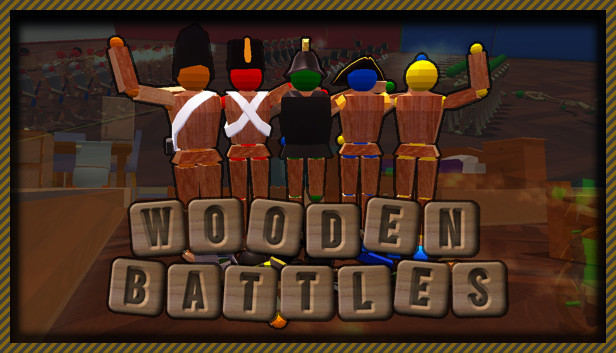
Wooden Conflict is a fort building battle sim. You build a wooden fort, place units, and then watch the battle unfold. To win the game you either have to destroy all of your opponent's units, or capture their flag. Units can be toggled as either "offensive" or "defensive." When units are designated for offense, they will move towards the enemy flag, engaging any enemy soldiers they encounter along the way. Units designated for defense will stay where you place them, waiting for the enemies to come to them. If there are no more offensive units left on the map, the game enters a tie breaker procedure, where all defensive units are automatically switched to offensive mode, and all forts/blocks disappear to clear the way for the soldiers. The armies from both sides will march towards each other and engage in an epic showdown. Last army standing wins.
Missions:
Missions involve different scenarios against the AI opponent. The objective is to defeat the enemy using a limited amount of resources. Strategic construction of the base, and choice of units is crucial. Carefully planning and executing your strategy is the only way to victory.
Conquest:
Conquest mode contains an entire map populated with 5 factions as well as many forts and areas to be captured. The player controls one faction, trains units, deploys armies, and battles the enemy. The goal is to wipe all the factions out by capturing all of their forts and areas.
Challenges:
There are 24 challenges in the game, three for each of the infantry units, except the medic. In the challenges you are given limited resources, and can only use the challenge specific unit. The objective of the challenge is to only use the available units to defeat the enemy. Completing the challenges will unlock new weapons for your units. You can view the weapons from the Armory tab in the main menu.
How to Download Wooden Battles Directly
1. Click the download button to start.
2. When the download is complete, right-click the .rar file and select 'Extract to current folder'.(If you run into any errors while extracting, make sure you’re using WinRAR or 7-Zip.)
3. Open the unzipped folder, find the .exe file, and double click it to run. (If there's a _Readme.txt in the folder, it's probably worth checking out.)
4. Enjoy. If you get any missing .dll errors, check for a 'Redist' or '_CommonRedist' folder and install everything inside.
- Size 100MB
- Version